Showing posts with label paperless. Show all posts

Wednesday, December 07, 2011

Using Technology to Organize Your Lessons and Resources

by David Andrade, http://tinyurl.com/edtechguy

I haven't posted on Teach Paperless for quite a while, but I thought that this article would fit in nicely with the paperless theme and specifically on organizing lesson plans without paper. Like Shelley, I try to have a paperless classroom. Not all my students have smart phones, and I only have 7 student computers, but I've eliminated as much paper as possible. Here's how I organize my lesson plans without paper.


Technology is a wonderful thing. I've been lucky in that my father, a chemist, and my mother, an elementary teacher, both realized that my siblings and I should be exposed to technology early on. I was using a TRS-80 computer in 7th grade (1986-87) and my parents bought us a Radio Shack Color Computer that same year. I took BASIC in high school, using Apple IIe's and then went off to college and majored in Engineering and was an Engineer for 10 years before becoming an educator. I used technology all the time. I started using a PDA in 2000 (Palm IIIxe) and continued on to other PDAs and now smartphones. This early and deep exposure to technology has made it very easy for me to integrate technology into my practice as an educator.


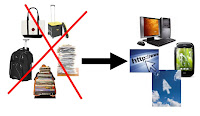
I rarely carry anything home from school because of these tech tools. Administrators ask to see my lesson plans and they are all on the computer. Another teacher asked me how I do this, so after showing them, I thought I'd share it with my readers.


I use a few different tech tools to organize my lessons and resources for school and use a variety of tech tools on a daily basis. Here is the list, with what I use them for. Click the hyperlinks for more information and details on the tool and how to use it.


1. Evernote - Evernote is my main lesson and resource organizational tool. I have notebooks setup for lesson plans and lesson resources, along with notebooks for things to do, things to research, and things to share. My lesson plan notes are set up by unit and have the objectives, links, resources, and attached files (like handouts and lab packets). I also have notes setup by week that I use to keep track of where each class is and to schedule my plans out. I can easily share resources and information with my students or colleagues.


2. Dropbox - I don't have every single file I use for my lessons on Evernote. Some of the materials, including videos and animations, are too big to upload to Evernote. I have all of my files on my home computer backed up to Dropbox, and then I sync the "School" folder to my school computer. This folder has resources, lecture materials, videos, and much more for each unit. I can also put files into a shared folder and share them with my students and colleagues. I also have students submit work to me to a Dropbox folder using Filestork and DropItToMe.


3. Google - Google is my other main organizational tool. I use iGoogle, Google Calendar, Gmail, Google Docs and Blogger to organize my lesson materials and other resources, including my calendar. I use Blogger to create class blogs where I post their lesson schedule, assignments, and due dates, along with resources and links. I can share my calendar with students also. I also have files uploaded to my Google Docs account and use Google Docs to create lesson resources. I can then share or publish these documents, presentations, or spreadsheets for my students or colleagues to use. I also use Google sites for a class site that includes resources, files and links for both the students and myself.

Google for Educators - Resources for using Google in school


4. PowerPoint - I started organizing my lessons with PowerPoints when I used more lecture in my classrooms. I've moved to about 75% student centered learning now with projects, labs, and activities but PowerPoint can be used to organize lessons. Objectives, lecture slides, links to labs and other resources, embedded videos, and much more. I could just mark in my calendar what slide a class was on. That slide may be lecture notes, an assignment, a lab, or a quiz. I don't use this much anymore because I have my lesson plans organized in Evernote.


These are just some ways to organize your lesson plans and resources.


Other tech tools to organize lessons:


Learnboost-online gradebook and lesson planner - announces lesson plan sharing


Related Articles:

Unfettered by Stuff - or "Why I don't lug stuff home every night"

Evernote - Get Organized for Free on All Platforms


What tools do you use to organize your lessons?


Wednesday, June 08, 2011

Exam Day: Demonstrating Understanding through Collaboration and Connection

By Shelly Blake-Plock


It's final exam day, so I thought I'd give you a peak into what things looked like in our paperless classroom: we've got kids collaborating, kids making stuff, kids doing tough academic work tied to the real-time web, kids in history class demonstrating the ability to read, write, think, share, and work like a real historian.

Here's a copy of the exam. Enjoy.

Honors Western Civilization
Final Exam
June 8, 2011
Exam Length: 2 hours and 15 minutes / 30 minute extension available


In the following exam, you are going to be asked to do the work of a historian. Please read the questions carefully as many of them have multiple parts. If you have any difficulty understand concepts or terms, look them up. In real life, historians have the power of the Internet at their fingertips; so too do you on this exam. Further, there will be sections of this exam that assess your ability to collaborate in real-time over the web. This is an essential part of the real work of the 21st century historian and it is something in which you are going to demonstrate fluency.

Lastly, remember that history is as personal as it is public. Think hard about these questions before answering. Don’t just Google yourself into a panic. Use the resources of the Internet History Sourcebook, the BBC History site, National Geographic, the Met Museum, Nova, PBS, Infotrac, Grolier, Biography.com, the Internet Archive, the Library of Congress, the Smithsonian, and all of the resources we have used in class. Also remember to refer back to the Twitter lists we put together during review; they are full of good sources -- but beware the occasional not-so-good source: When using a source, ask yourself, “Would Your Teacher Use This Source?”

If you use a source, cite it by in-text citation and noting the source after your response with an APA citation in a mini-bibliography (even of there is only one source) -- this includes pics, maps, etc. Check here to review APA format: http://owl.english.purdue.edu/owl/resource/560/01/

Please post all of your answers onto your blog. For Google Maps, please embed them so that I can actually go into your map rather than just look at a screenshot. If you have any computer problems, let me know immediately and get on one of the Macs. Also, it is important to me that I see the breadth of your understanding as well as the depth of specific knowledge, so I will be keeping you to the timed format. I will offer up to a half-hour after the official exam time for anyone who wants to go back and edit or complete any sections from the exam to do so.

I trust you will all do your very best work and I looking forward to seeing the results.


1. What is History? Get together in groups of five. You will be having a five minute discussion on which way to understand history is best: Linear, Cyclic, Hegelian (thesis + antithesis = synthesis), or Vortex (history goes back and forth through high points and low points). Please create a public TodaysMeet room of your own for you discussion (you will need to come up with a name for your room). Please sign into the chat with your real name; I will be giving you credit based on: your contribution to the chat, the quality of sources you bring into the chat, the quality of your interaction asking and answering questions and dialogue within the chat, the historical and logical accuracy of your chatting, and the quality of your argument and evidence. When complete, post the link to the room on each of your blogs.

2. Agricultural Revolution. (appx 15 minutes) This is a three part question: 1) In a one paragraph brief constructed response, explain why the Agricultural Revolution was so important to the development of cities. 2) Create a Google Map showing where the Agricultural Revolution took place and tag the map with a label that explains why the geography of this place was so conducive to the production of stable agriculture. 3) Write a short (two to three paragraph) newspaper article describing a future where the agricultural system has collapsed; think about all of the things in society that would break down.

3. Egypt and Greece. (appx 10 minutes) In two or three paragraphs, compare and contrast the Egyptian and Greek views of the Afterlife. For Egypt, here is a copy of the Egyptian Book of the Dead: http://www.sacred-texts.com/egy/ebod/ and here is an excellent article on Greece that I expect you to cite: http://www.metmuseum.org/toah/hd/dbag/hd_dbag.htm

4. Herodotus vs. Thucydides. (appx 10 minutes) Please look through the following archive of articles about 9/11: http://topics.nytimes.com/top/reference/timestopics/subjects/s/sept_11_2001/index.html?scp=1-spot&sq=September%2011&st=cse and find one article that seems to approach the topic in the style of Herodotus and one article that approaches the topic in the style of Thucydides. In a two paragraph response, explain specifically why you chose the articles you did and be specific in explaining where you see the style of Herodotus or Thucydides in them. You may discuss via chat with classmates; but no two responses should be the same. I will be coming around during this section to answer questions and help out.

5. Rome. (appx 40 minutes) Please write a five paragraph academic essay on the following: “Is it fair to say the United States is the modern day equivalent of the Roman Empire?” Here’s the catch: You must look through http://www.newseum.org/todaysfrontpages/ and find three stories happening today in the world to back up your argument. Things to think about: Republic vs. Empire, the Bad Emperors and the Good Emperors (if you use these, be VERY specific and cite specific events from the lives of the emperors as accounted in Suetonius [see: http://www.fordham.edu/halsall/ancient/suetonius-index.html]), the “Decline and Fall” of the Roman Empire, etc. In your essay, be sure to mention at least three specific examples from Ancient Rome and three specific examples from the newspapers. Cite properly.

6. The Third Crusade. (appx 20 minutes) This is a two part question. 1) Work with a partner to create a wiki (make a public wiki at wikispaces.com) promoting Richard’s Crusade. The wiki should have the feel of a political campaign, so you should come up with slogans based on historical writings from http://www.fordham.edu/halsall/sbook1k.html#The Third Crusade and you should include visual material such as historically accurate flags, images, etc. Make sure the wiki is public and then put a link to it on your blog. 2) Then each of you will individually write a two-paragraph op-ed (http://en.wikipedia.org/wiki/Op-ed) from the point-of-view of the Saladin about why the Crusades are unjustified and your vision of how the Jerusalem problem should be handled.

7. The Black Death. (appx 10 minutes) Three part question. Major source -- The Decameron: http://www.fordham.edu/halsall/source/boccacio2.html 1) Explain how the Black Death started and what its spread meant for the people of Europe. 2) Imagine you are a Medieval physician. Describe exactly what the Black Death looks like, what it does to a victim, and what techniques you attempt as a physician to either stop it or relieve the sufferer from his or her pain. 3) In a paragraph or two, explain how you think people in contemporary America and people you know would respond if a plague on the scale of the Black Death were to occur.

8. Romanesque vs. Gothic (appx 5 minutes) Collect three images of Romanesque cathedrals and three images of Gothic cathedrals from Wikimedia Commons and, in a paragraph or two, explain how the architecture of each represent the differing theologies of the eras.

9. Renaissance. (appx 10 minutes) Who do you think best represents the ideal of the “Renaissance Man”: Leonardo da Vinci, Michaelangelo, or Shakespeare? In a two to three paragraph response, you will need to define what a “Renaissance Man” is and you will need to find at least three works of art or direct quotes from letters, poems, plays, etc. to support your claims.

10. Bringing it all Together (appx 5 minutes) Free response: Do you feel like you learned something this semester?

Friday, April 22, 2011

Happy Earth Day!

Wondering how many folks out there have managed to go paperless or nearly paperless since last April 22nd. And wondering about what kind of effects it is having on their teaching and the way they think about learning.

Leave a comment and tell us what you've been up to.

Thursday, February 24, 2011

Being Paperless Is Not Enough

by Shelly Blake-Plock

Your students turn in all of their work electronically. You grade everything on your Tablet PC. All of your lectures are supported by PowerPoints. You haven't been in the copy room in months. You are a completely paperless teacher.

So what?

As we've discussed on this blog since the very beginning, being paperless is not just a matter of using no paper. It's a matter of bringing the live and dynamic content of the world into your classroom in real time and connecting your student's voices to the conversation of the world.

It's not enough to be "paperless". You've got to be connected. The connection is the key.

Tuesday, January 18, 2011

Ten Reasons to Have a Paperless Classroom

By Steve Katz

10. Work doesn’t get “lost” in the bottom of a backpack.

9. Save space (no file cabinets).

8. Nobody ever forgets their pencil.

7. Collaboration is easy from anywhere.

6. No carrying notebooks (only netbooks).

5. Students are building digital portfolios.

4. No more “no-name” assignments.

3. You never have to wait in line for the copier.

2. Save paper, save the Earth.

1. The dog can’t eat your homework.

You can go paperless in your classroom, or at least reduce the use of paper while improving your lessons. Begin planning for a paperless Earth Day, Friday, April 22, 2011. Need some ideas about alternatives to paper? Feel free to add more.

Wednesday, September 08, 2010

A Paperless Survival Guide to Managing the Occasional Tech Snafu

Things go wrong. So it's always best to be prepared when they do.

One of the things I've found, especially with teachers new to working in a live social tech environment, is the fear of the tech breaking down and said teacher being stuck twiddling the proverbial thumbs.

So here's a shortlist of things you can do (or should think about) when broken tech brings the pain.

1. Prepare tabs of all sites you plan to lead students through in advance; this way, should your network go down, you can still manage through the majority of your web content. Students should also save offline syncs of info-style pages regularly accessed -- like e-books, encyclopedia entries, etc. In fact, tab-prep can suffice as a pre-classtime requirement for students.

2. If you have both wired and wi-fi networks available, consider setting up a small local hub in your room to connect computers should the latter go down. Or if you have your own portable 3G hotspot, share it.

3. Should the network fail while using Google Docs or while writing blog posts, have students dump their work into a word program and work there until the connection is re-established (this is what Gears should have been able to do). Anyway, make sure that your students know to do this from day one, it will save a lot of headaches.

4. I realize this could be considered a controversial one, so I won't tell you what to do, but I'll make a suggestion that you think about making "educational fair use" temp downloads of those YouTube videos you want to show. While I don't publicly condone hacking, there are plenty of easy-to-use and easily-Google-able resources that will help you do what you need to in a pinch.

5. Find alts. If you need a backchannel and Twitter gets scrambled, try TodaysMeet. There are plenty of Web 2.0 sites made specifically for education, as well; search through Richard Byrne's site for ideas.

6. Design assessments based on students both collaborating and playing to their individual strengths. If your network is shaky, you might be able to have a few kids online while others are working offline. Rotate it up, let kids share tech, for the sake of argument consider the parameters of a shaky network an opportunity to experiment with group dynamics and new forms of collaboration.

7. Let kids access the Net via their phones and personal Internet devices.

8. Have students create any and all new accounts -- i.e. Twitter, Google, YouTube, Jing -- from home or from the library. All new account registrations basically work the same these days, so just give the students the info they need and have them set up their resources as homework. This gets rid of the problem you often encounter in a classroom when trying to make multiple accounts simultaneously under the same IP address. There's nothing more frustrating than having an entire classroom of kids fail at trying to set up online accounts just because of security and redirect issues. It's a waste of time; so save time and have them do it on their own time.

9. Be prepared to improvise. And I'm not talking about flying by the seat of your pants. I'm talking jazz. You've got to practice the skill and hone the craft of improvisation everyday in every class so that when things do go haywire you're not completely screwed. If it were up to me, I'd make "Authentic Improvisation" -- as opposed to "B.S. Improvisation" -- a required class in ed school.

10. Know your students. I'm convinced that at least part of the fear of tech going down in flames in one's classroom is really a manifestation of a deeper issue: teachers not really getting to know their students and therefore not having the trust, conversational faculties, and mutual understanding of learning goals to get past a rough spot. If you and your students trust one another, you should be able to teach each other using nothing more than voices and gestures. And that's not some newfangled idea: that's what teachers have/had done for thousands of years.

11. Take a nature walk. Every classroom community benefits from mutual engaged experience. So you lose the wireless and your lesson is shot? Use it as an opportunity to go out and experience something with your students. Take 'em out for fresh air and conversation. Take 'em to the cafe for a snack and a chit-chat. See if the gym is open and shoot a few baskets with 'em. Don't dwell on what didn't work; rather, use the opportunity presented by a snafu to look at the world in a different way.

Now, if that wi-fi keeps going out or those computer batteries keep drying up after a half-hour of use, you're obviously going to have to deal with that problem. No one can integrate tech and education in those conditions. But with a good network in place, on those relatively rare occasions when things do fall apart, you should be able to manage without losing your hair. Consider the tips I've offered (all of which I've used at one time or another) and please leave some of your own ideas in the comments. Good luck!

Tuesday, July 06, 2010

A Cost Measured in Lives: Responding to John Spencer

John Spencer is one of the best education bloggers on the planet. It is therefore with great delight that I read him taking on the perils of paperless classrooms in a blogpost a few days back. I'm going to quote a bit of it in full because I think we need to get this in front of our eyes.

For those of you who don't know John's work, he's (among other things) the writer of a blog called 'Adventures in Pencil Integration' which basically tells the fictional (yet familiar) story of a late-19th century teacher's struggles with new technology. In this scene, the teacher -- Tom Johnson -- is in a conversation about whether a paperless future is possible.
I'm sitting with Mr. Brown and mention, "I hate this march toward industry.  For all my pencil advocacy, I want to conserve paper.  I want a more sustainable way of life. I wonder if the answer is found in the telegraph.  Perhaps information can go paperless."

"We have that already.  It's called vocal chords."

"Seriously Brown, I'd like to believe that in a paper-free world, where all things are electrical, we would reach the point of technological progress that we can evade ecological disaster. I'd like to think that the pencil is just a step toward something better."

"I'd like to believe in leprechauns, but I'm skeptical of them as well," he responds.
... 

"Factories are more efficient and farms are more effecient and so we would think that this would lead to conservation.  But it doesn't.  We're at the dawn of an environmental disaster.  Replace the methane pollution of horses with horseless carriages. But we've just created a new problem. Yes, the automobile will be more efficient if we keep our same short-distance habits.  But we won't. So, we go paper-free, right.  Sounds good.  But then we switch from a renewable source of trees to coal and oil, which is essentially what's running our city.  People die each year so that you can brew your coffee electronically."

"So, what does that mean for students?" 

"It means that we can't propel a myth that the medium we choose is a free one.  There's always a cost.  A cost on our ecology and a cost on our relationships.  It's never neutral.  So, we traded in slates for paper.  Someday we'll trade it in for an electric alternative. The cost isn't always measured in dollars. It's often measured in lives." 
On the ecological front, I've been asked about this several times over the years and this is how my answer has developed: we are living in an era where the birth of one mode of communication is slowly eschewing the former. This is and will continue to cause redundancies so long as the former method is used with the frequency with which it used to be used in its prime.

In terms of schools, one may argue: "True, but paperlessness is a dream -- because it'll be a long time before every schoolkid has a computer and access to the Internet."

My reply: "But it will happen. The 'computer' may not look like what you or I currently think a computer looks like; but there is going to be a point in the future where every single school (and with deference to my international readers, I'll say 'every single school in the United States') will provide Internet access to students, all of whom will have devices with which to connect 1:1. This isn't science fiction. I just had a conversation with a woman who has a plan to get access to every schoolkid in Colorado for a relatively paltry $150 million; you have any idea how many individuals could afford to drop that kind of change in the name of philanthropy and education? Yes, it will take time, it will take money, it will take guts; but it will happen."

There is an enormous opportunity to overhaul the way we allocate funds in education. And primary to this is the way that teachers can use the free and non-profit resources of the Web to disengage from the world of Big Publishing that has existed in the form of paper textbooks in our classrooms since the early days of public education. Get rid of textbooks and you do three things: you eliminate all of the energy consumption and waste that goes into the making of textbooks; you take the filter of textbook editors out of the classroom and you let students and teachers engage directly with primary sources via the Library of Congress, United Nations, New York Public Library, etc; and you sort of force all those very intelligent folks who used to work in the textbook publishing industry to change careers and therefore perhaps approach things in a different way.

Continued use of paper and analog technologies -- that is the continued use of those technologies in ways that conform to their usage at the height of the pre-Digital paradigm -- will produce a surplus of waste. Is it true that electronics and computers are producing and will produce more waste via non-recyclable materials, poor energy usage, and throw-away consumable design? Yes, absolutely. But to say that the coupling of this waste being produced by a Digital revolution (which, by the way has already happened and isn't going away -- ask the music and newspaper industries) with the waste produced by schools in paper-form primarily as redundant information like daily bulletins, calendars, homework/classwork sheets, and tests (especially of the standardized mega-booklet form) is just a cycle bound to bring us to our knees (John's not necessarily implying this, but I've had that argument levied at me) is perhaps shortsighted as to the change the Digital revolution has already had on shifting our idea of what we 'need' and what we do with what we 'need' after we don't 'need' it -- and this will continue to have an increasingly (by necessity) impact in the way we approach our world as the exploitation of the poor areas of this Earth produce devastating problems that come back up the food-chain. E-waste is an enormous concern and one of the most heinous by-products of the way consumer electronics and computers are made and marketed. As I wrote back when Steve and I started the call for Paperless Earth Day:
As for the electronics waste side of the argument, we consumers should be insisting that manufacturers build 'shell-based' modular computers and mobiles that allow for the easy swap out of old individual components for new while being extra-durable and maintaining the life of the device itself for far longer than anything currently on the market. And we should be demanding (with our pocketbooks) that the companies themselves assist in electronics recycling programs that actually recycle the material components like lead and mercury in safe ways and refrain from shipping junked machines to third-world countries to poison the children of the poor who scavenge them for metals.

As for what we can do in our classrooms, Steve and I are asking that as teachers you pledge to refrain from using any paper or accepting any work on paper this Earth Day (April 22nd). And as for old machines: use Freecycle, support non-profit recycling programs like the National Cristina Foundation, and let's make a difference.
Part of source reduction means negating redundancy; part of it means not creating new problems. The key going forward is to advocate and to teach this generation to advocate for a technological mindset that challenges the traditional waste cycle. The connection made through the technology itself can be the window through which our kids see the world that their use of resources is having an impact on. Their use of the technologies causing the problem could potentially help solve the problem; further, the technological development of the poorest parts of the world will empower those people to engage directly and anti-hierarchically with the people whose consumption is causing the greatest distress. This isn't about pity; it's about connection and collaboration.

As for what this all means in terms of the classroom and the human dimension, I'd say that the single biggest change that has taken place with regards to technology over the past five years has been the increased value of understanding technology as a way to make human connections. Whether we are talking about teachers taking part in the global PLNs on Twitter or grandmothers and grandfathers getting a real-time glimpse into the lives of grandkids who live far away via Facebook and Flickr and Skype, we are talking about new ways of connecting people in an immediate, real-time, worldwide way. And yes it does have all the bad stuff that goes with it -- the privacy concerns, the poor examples of digital citizenship, the blatant marketing and commercialization of much of the Web. But for better or worse, that connection has been made; and it's not going away.

So let's engage our students with learning within the dynamic of opportunity that social technology allows. Let's use 'real-time' to mean something 'real' in education. The trick is to make the tech work for the human and not vice-versa; and I'd argue that the old way of thinking about tech was all about the human working for the tech whereas, in its best moments, social tech is made to be subservient to whatever objective the human puts it too -- whether using Jing to critique student labs or YouTube to broadcast student events. Social tech isn't monolithic; it's all about tweaking it to your own needs.

It was the paper school model world that gave us the Digital Age. Paperlessness and Social Tech driven dynamic learning was made possible by folks who learned via paper, static assignments, bubble tests, and lectures. What will the post-paper school model world give us? I like to think that thinkers raised post-paperless would dream up a new way of computing -- a form of 'sustainable computing' that ameliorates both the degradation that technology does to our environment as well as occasionally to our lives, our relationships, and our sense of being human. Because if Kurzweil and the rest are right about The Singularity, that'll be one of the greatest challenges facing the kids currently in our elementary schools. And it'll be a problem neither paper nor what we currently envision as computers will solve; it will require a new technology for a new time. Hopefully we will have used the technologies at our disposal -- whether the stuff of binary code or the stuff of the heart -- to prepare our kids for that eventuality.


Saturday, May 08, 2010

The End of Phonebooks

The New York Times is reporting today that Verizon wants the White Pages phonebook to go the way of the rotary phone.
Verizon, the dominant local phone company in the state, asked regulators on Friday to allow it to end the annual delivery of millions of White Pages to all of its customers in New York. The company estimates that it would save nearly 5,000 tons of paper by ending the automatic distribution of the books.
This would be a great move in source reduction.

It also points out the fact that culture itself is moving towards paperlessness. And while there will likely always be certain things we print -- diplomas, religious texts, wedding invitations -- by and large, most of what we print -- newspapers, government documents, classroom worksheets -- is easily sourced to a digital alternative.

When even the phone company wants to stop printing its own phone book, one could make the suggestion that when it comes down to the brass tacks: society is eventually going to go paperless by default, whether it's trying to or not.

Wednesday, April 28, 2010

"We launched our own computer lab in my classroom."

I continue to be absolutely humbled by the fearlessness of teachers and students who took part in last week's Paperless Earth Day.

A few days back, I published a post of things teachers had done to go paperless in their classrooms.  Some were high-tech and some were lo-tech. They were all creative, thoughtful, determined, and pro-student.

This evening I got word of another project a teacher and his students took on. And I'm in awe.
"My 130 + students decided that we were not going to go paperless for just Earth Day, but rather the remainder of the year. We discussed a plan and then put that plan into action. My students and I were able to take a laptop cart that had been abandoned by most at the school due to the operating issue of the machines, which are about six years old. We spent the next few weeks leading up to Earth Day repairing and cleaning the machines up after school.

"On April 22, we launched our own computer lab in my classroom."
That's from a post by Mike Meechin, a high school teacher in Florida. He posted it on his blog -- Innovate Education -- and I, for one, am looking forward to checking in throughout these last several weeks of the school year to see how he and his students are doing.

Friday, April 23, 2010

Paperless Earth Day: What Teachers Did

One of my favorite things to have come out of yesterday's Paperless Pledge is the documentation teachers have been making of their day's classroom experiences.

Dave Glenn, a 6th grade teacher from North Carolina, blogged about his paperless day using Make Believe Comix with students.

Andrea Schlager's 3rd grade class made a podcast documenting their Paperless Earth Day experience.

Ann Leaness and her class cleaned up the front entrance to their school.

Other teachers wrote about recycling initiatives, applying Web 2.0 to Earth Day, Zimmertwins, digital photography in math class, bike rides and waste-free lunches, and student blogging.

Throughout the day, teachers participating in the paperless pledge contributed to our Paperless Earth Day Wiki. From Glogster and digital camera scavenger hunts in math class to digital science projects to online collaborative storytelling to conversations with experts via TodaysMeet: you'll find projects, ideas, and dynamic and collaborative paperless alternatives -- some high tech and some lo tech -- that you can incorporate into your own teaching.

I look forward to hearing many more stories about paperless Earth Day, and I encourage you all to post documentation of your experiences to the Paperless Earth Day Wiki. Thanks!

Thursday, April 22, 2010

Happy Paperless Earth Day!

[Updated w/ screenshot of 1,500th pledge coming in at 12:25PM EST.]


Over 1,500 teachers from Vietnam to Kenya to the UK to Missouri to Venezuela have all taken the pledge to go paperless for Earth Day.

The pledge list is available online and is organized by school. Congratulations to all of the schools represented!

Teachers pledging today can do so on our Google Form; we'll leave it open until Midnight today to be accessible to teachers taking on paperless night classes this evening.

All teacher participants are invited to contribute their paperless classroom experiences to our Paperless Earth Day Wiki. We've already got some FANTASTIC contributions!

Steve Katz -- the guy who first proposed this idea to begin with -- has started a Google Doc called "Going Paperless"; it's an excellent resource for classroom paperlessness. Steve is an inspiration to the paperless movement.

Thanks to the Earth Day Network for helping out and giving us the extra "push".

Thanks to folks in the media for helping to get the word out about the Paperless Earth Day Pledge -- especially the New York Times, the Arizona Republic, the Baltimore Sun, and the Dallas Examiner.

Thanks to Edutopia for featuring the pledge in its just-released issue of Think Green!

And most of all: thank you to all of the teachers, students, and admins who have made this possible. You all are fearless.

For posterity's sake, here's a link to the original call on TeachPaperless. I remember at the time, Steve and I were hoping to get 100 teachers to join us. The results have exceeded our wildest expectations.


Happy Earth Day,

Shelly Blake-Plock
@TeachPaperless

Wednesday, April 21, 2010

NY Times: Ten Ways to ‘Go Green’ and Mark Earth Day

The New York Times takes notice of the Paperless Earth Day Pledge in its list of Ten Ways to 'Go Green' and Mark Earth Day.

Lots of great ideas there. My fav: "Plant a Tree".

Update on Paperless Earth Day

As of 9:20PM EST, there are 1,458 teachers worldwide pledged to go paperless on Earth Day.

News about the pledge has been reported this evening on the blogs of the Baltimore Sun, Arizona Republic, and Dallas Examiner. And Edutopia ran a piece on the pledge in the just-released issue of Think Green.

Most exciting, documentation is already cropping up on the Paperless Earth Day Wiki!

The pledge form is still open: you can sign it here.

With Hours to Go: We've Got 1,443 Teachers Pledged to Go Paperless for Earth Day 2010

Here's the story: Earth Day is tomorrow.

As of 4PM EST, we've got 1,443 teachers pledged to go paperless in their classrooms tomorrow.

That's awesome.

Click here to see the full list of our paperless teachers (alphabetical by school).

And click here to sign the pledge.

Tuesday, April 20, 2010

Teachers are Going Paperless for Earth Day

Teachers are celebrating the 40th annual Earth Day by going paperless in their classrooms.

Nearly Over 1,400 teachers from six continents have pledged to go paperless for Earth Day [updated 4.21]. They are sharing ideas and documentation of their experiences on the Paperless Earth Day Wiki which has been created especially for the event as well as on educator Steve Katz's "Going Paperless" Google Doc.

The pledge drive is being supported by the Earth Day Network as well as a word-of-tweet network of educators on Twitter.

TeachPaperless will be working over the next two days to help teachers work out last minute paperless plans and to help them document their work. Follow @TeachPaperless to get the latest information and to keep up with the paperless discussion.

Teachers can sign the pledge to go paperless on Earth Day by following this link to the Pledge Form.

Monday, April 19, 2010

"Going Paperless" for Earth Day!

Steve Katz started a "Going Paperless" Google Doc full of ideas to help folks go paperless on Earth Day. You can contribute to the Doc and are welcome to take and share ideas with fellow teachers.

Again, if you have any questions or need any advice on creating paperless lessons for Thursday's event, just post a comment here on TeachPaperless and I'll do my best to help you out.

As of 12:30 EST, we're at 1,323 teachers pledged to go paperless for Earth Day. We've got just three more days to go! Please pass the pledge on to fellow teachers and remember to document what you do in your classrooms on Earth Day by publishing text, pictures, video, and whatever else to the Paperless Earth Day Wiki.

Sunday, April 18, 2010

Paperlessness: First Come, First Served

Took a few days off before our final push to Earth Day.

Now, I'm ready to go.

Each day leading up to April 22, I'll be posting customized ideas for going paperless in your classrooms. Basically, if you give me a topic/objective and your tech capabilities, I'll give you a lesson plan/idea. If you don't want to use tech, that's fine; I'll come up with an alternative.

Basically, I'm offering three years of paperless experience to help you design paperless lessons that will work for you on Earth Day.

First come, first served; I'll do as many as I can and post them on the Paperless Earth Day Wiki.

Meanwhile, please remind your colleagues to join 1,300 of their colleagues and pledge to go paperless for Earth Day!